R-02 Copilot & Agents
Admin homework for October: domain, data location, sender
Not every Message Center post brings a new feature. Some bring work. Three changes nobody notices until something stops working, and one of them has a deadline in December. These belong on the admin to-do list.
1. Copilot moves: copilot.cloud.microsoft
Copilot redirects from m365.cloud.microsoft to copilot.cloud.microsoft (MC1462915, MC1454108). The Copilot app gets a new name and a new icon. The redirect has been running since early September. Organizations that had blocked copilot.cloud.microsoft are redirected in October, so right now.
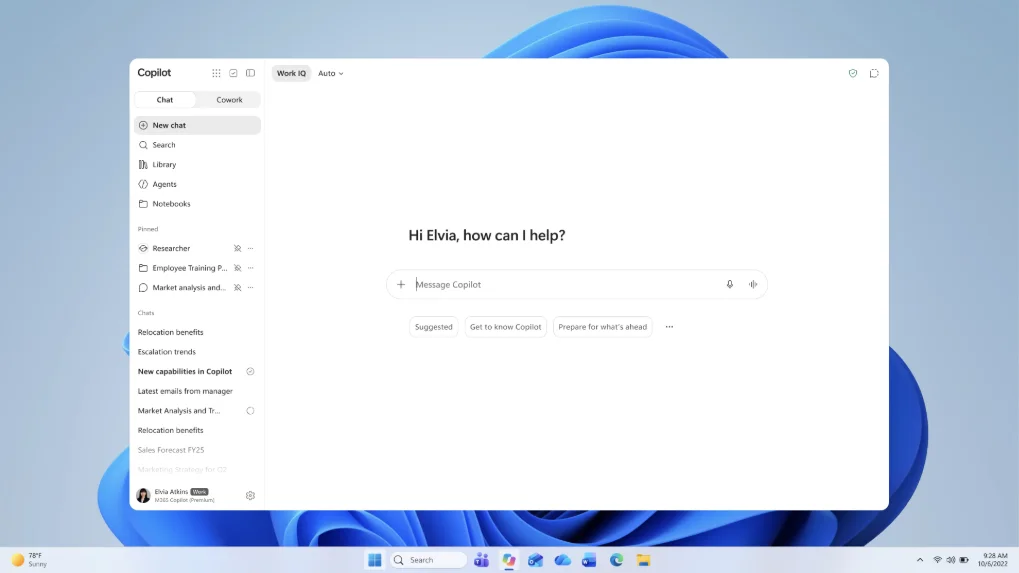 The new Copilot app with new name and icon. Screenshot: Microsoft, MC1454108
⚠️ Mandatory
Allow and test *.cloud.microsoft in your firewall, proxy and security tools. Otherwise Copilot faces a locked door on the web, in the desktop app and in Edge. If you blocked the domain to keep out personal Microsoft accounts, use Tenant Restrictions for that instead.
2. EU data location: in-country or regional?
For tenants in Germany, France, Norway, Sweden and Switzerland there is a new switch “Store Microsoft 365 customer data in-country” (MC1470878). It affects Exchange, SharePoint, OneDrive, Teams, Copilot and Copilot Chat.
- Default: off. Then Microsoft may store data regionally within the EU Data Boundary.
- On: data stays in the country.
- Effective from 14 December 2026. Nothing changes about the storage location before that. If you switch it on after this date, you wait around six months for the migration back.
You find the switch under Settings > Org settings > Organization profile > Data location > Commitments. Tenants with Advanced Data Residency or Multi-Geo do not see it, because their purchased offering already governs the data location.
ℹ️ Context
In both cases, the data stays within the EU Data Boundary. Legally, that is not an automatic violation. But you need to check whether your contracts, data protection impact assessments or works council agreements promise “Germany” instead of “EU”. This is not legal advice, just a pointer to ask the right people.
3. New sender for Copilot emails
Copilot info emails now come from microsoftcopilotupdates@microsoft.com instead of m365copilotupdates@microsoft.com (MC1469962). If you built transport rules or allow lists on the old sender, update them.
Small extras
- Branded footer: logo at the bottom of the Copilot app, optionally with the label “Approved by”, “Provided by” or “Managed by” (MC1238432). Off by default.
- Cowork browser: Cowork may operate web apps in Edge if you allow it (MC1474461). Off by default, can also be enabled for specific users and groups, under Copilot > Settings > Cowork settings.
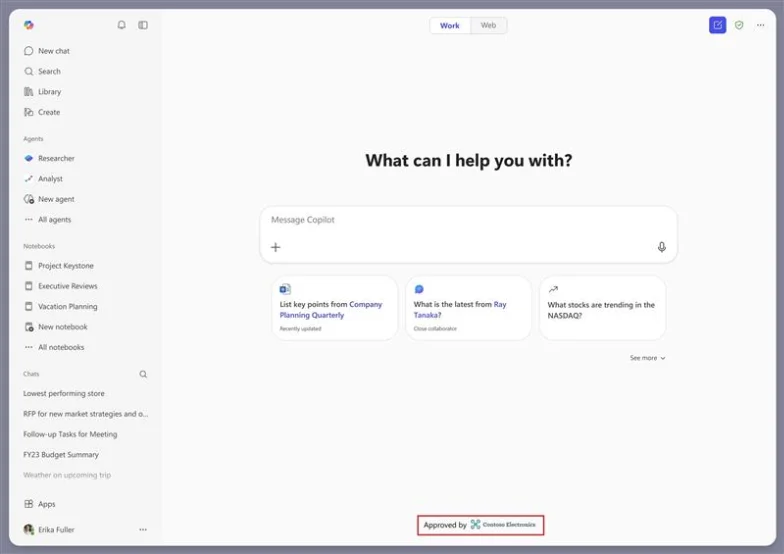 The branded footer shows logo and approval label in the Copilot app. Screenshot: Microsoft, MC1238432
What stays
None of these changes is spectacular. All of them can cause a ticket nobody can explain. The domain change and the data location in particular belong on the table in these weeks.
☕ Espresso Moment: Descaling is not sexy. But without it, nothing flows through anymore at some point.
Your takeaways
- Allow and test *.cloud.microsoft in your network
- Discuss the data location switch with data protection and the works council, before 14 December
- Check transport rules for the new Copilot sender
- Decide consciously on the branded footer and the Cowork browser
Message Center posts: MC1462915, MC1454108, MC1470878, MC1469962, MC1238432, MC1474461
How are you tackling this in your tenant? Tell me on LinkedIn, I am curious about your experiences.
Share this note


Senior Modern Workplace Consultant at amexus, Microsoft MVP, author of “Microsoft 365 Administration für Dummies”.